Turn AI chats into pages worth sharing.

Capture from your browser. Keep the draft local. Share when it's ready.

How Draft works

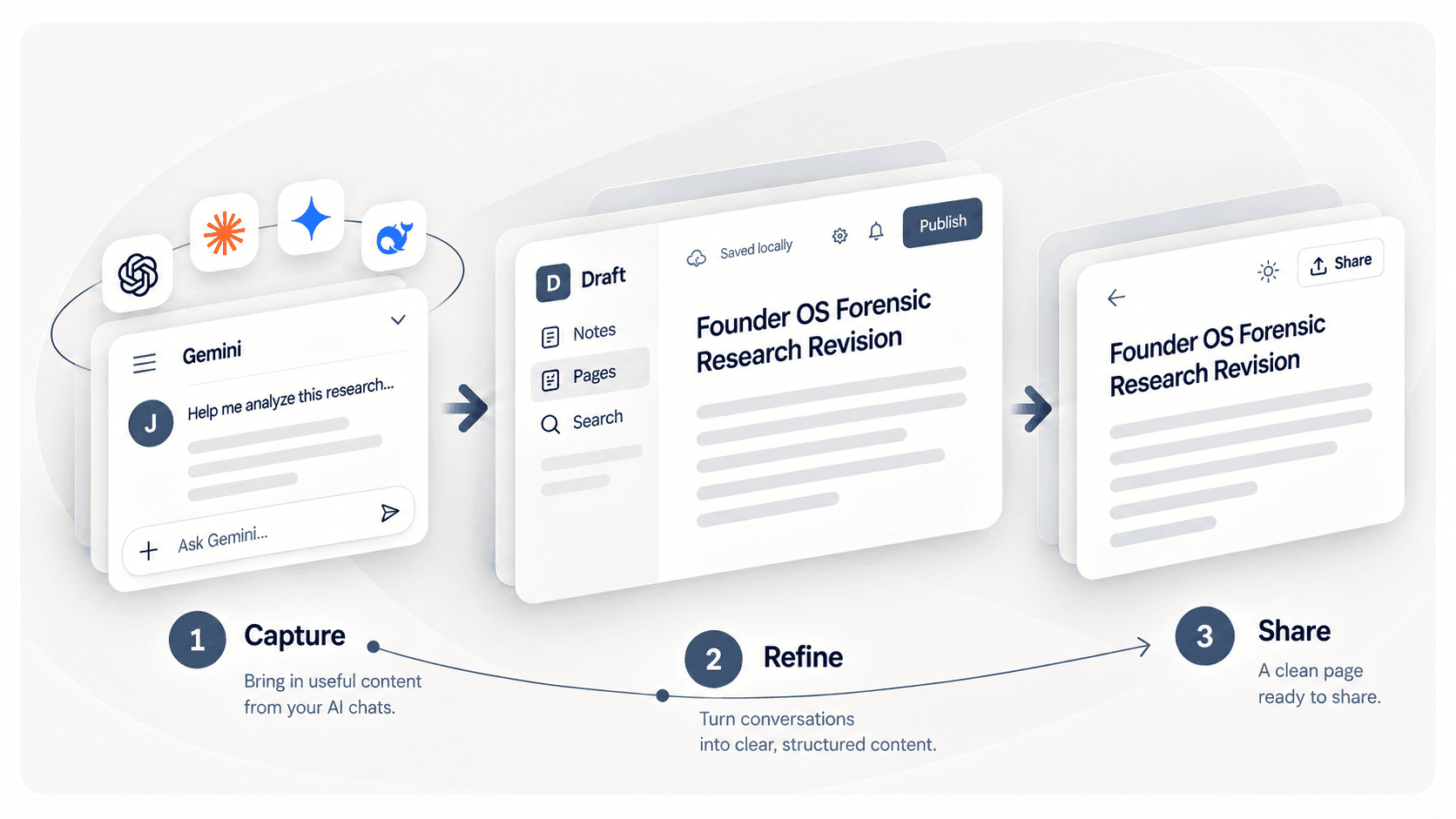
Capture AI chats with structure intact, refine them in Draft, and share the finished page publicly or privately.

Draft workflow moving from an AI chat, through local editing in Draft, to a clean published page: Capture, Refine, Share.

Built for your data.

Local by default, tested with the AI tools you already use, and backed by public launch proof.

Private by default

Your data stays yours.

Minimal browser access. Local by default.

  • Only accesses the page you chooseAsks for high-fidelity access only when needed.
  • Stored locally in your browserYou choose when to back up, publish, share, or use remote processing.
  • Optional backupKeep a copy in your own cloud storage.
  • Encrypted Secret ShareShare on your terms, with end-to-end encryption.
How Draft handles your data

Verified AI capture

Works with the AI tools you already use.

Support can vary by provider and content type.

See exact support

External proof

Publicly launched and discussed by builders on Product Hunt.

P#11 Product of the Day150+ followers · 29 comments

“That's a slick workflow — one click to capture is exactly how it should work. Just watched the tutorial, impressive how clean the UX is. Will definitely be putting this to use across ChatGPT and Claude sessions. Thanks for building it!”

Rich Nashawaty, Product Hunt
See what builders said

COMPARE

Choose how you share AI work.

Compare native sharing, export, and Draft at a glance.

Comparison of Draft, ChatGPT Share, and ChatGPT Exporter
CapabilityDraftChatGPT ShareChatGPT Exporter
SetupExtensionNoneExtension
Edit & refine before sharingSupportedNot supportedNot supported
Choose multiple chat parts to includeSupportedNot supportedSupported
Preserve rich AI formattingSupportedSupportedSupported
Keep interactive HTML runnableSupportedSupportedNot supported
Encrypted private sharingSupportedNot supportedNot supported
Export to common file formatsSupportedNot supportedSupported

FAQ

Frequently asked questions

A few practical details before you try Draft.

Draft preserves recognized conversation structure and supported elements like code, quotes, math, tables, and more. Exact support varies by platform and format.

GET STARTED

Ready to share your next AI chat?

Add Draft to Chrome to capture your first chat in one click.Want to see the result first? Open the live example.